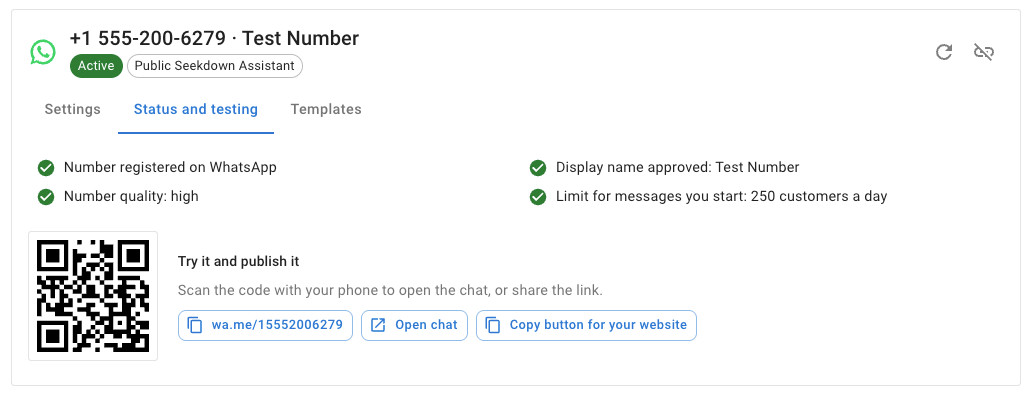
Test and Publish the Number
The Status and testing tab shows what Meta reports about the number:
- Number registered on WhatsApp
- Display name approved, or that it's under Meta's review
- Number quality (high, medium or low)
- Limit for messages you start: the number of customers a day you can write to first with templates
Click Refresh status from Meta after making changes at Meta.
Try it and publish it:
- Scan the QR code with your phone, or click Open chat, and send hello. You should get the
welcome and the suggestion buttons.
- Ask a question your content answers, and check that the reply links to the source page.
- If hand-off is on, tap Talk to a person and check that the conversation appears in Live
support.
- Share the
wa.melink, or click Copy button for your website to get the HTML of a
Chat with us on WhatsApp button.