Choose the Assistants You Attend
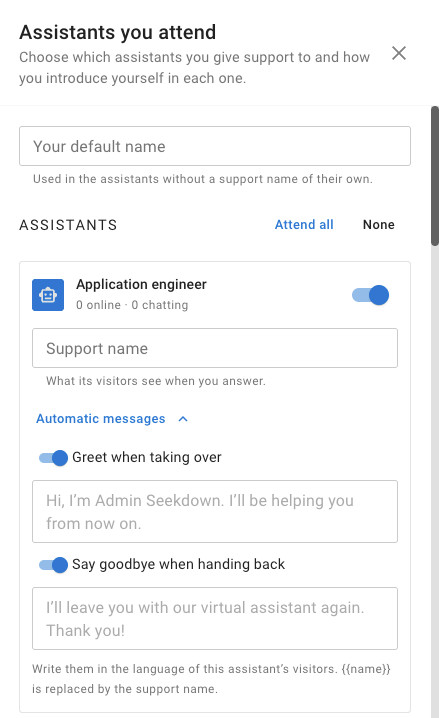
Click Assistants in the console toolbar to open Assistants you attend.
| Setting | What it does |
|---|---|
| Your default name | The name visitors see when you answer, for assistants without a support name of their own |
| Attend all / None | Turn every assistant on or off at once |
| The switch next to each assistant | Shows or hides its conversations in the console. It also shows how many visitors are online and chatting |
| Support name | What this assistant's visitors see when you answer, for example Laura · Support |
| Greet when taking over | A message sent when you take a conversation over. {{name}} is replaced by the support name |
| Say goodbye when handing back | A message sent when you hand the conversation back to the assistant |
Write the greeting and farewell in the language of each assistant's visitors. These choices are saved in this browser for your account, so set them again on another computer.
Use the selector in the toolbar to focus on one assistant, or keep All the assistants you attend. Conversations of assistants you don't attend are hidden; the list tells you how many.