Answer visitors yourself when the assistant isn’t enough
See your assistant’s conversations as they happen and take one over. While you reply, the assistant stays silent.
- Follow website and WhatsApp conversations in one console.
- Take over with a greeting and hand back with a farewell.
- See who you’re talking to and what they asked before.
The same chat, now with a person
The header shows that a person is answering, with the support name you choose. The visitor doesn’t need to open anything else.
Example conversation with sample data.
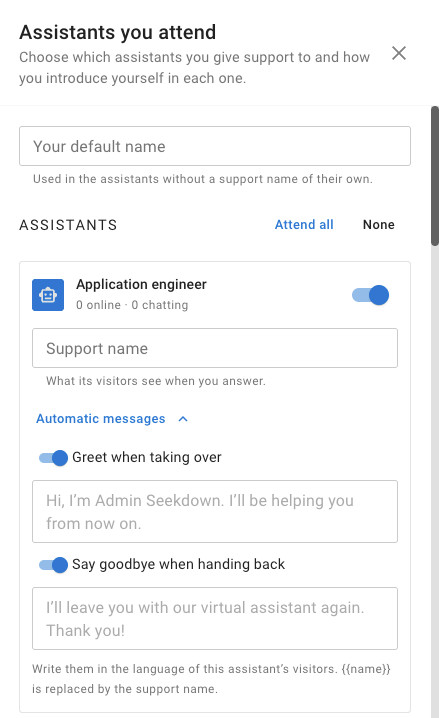
Choose how you introduce yourself
For each assistant you attend, set the name visitors see and the messages sent when you take over and hand back, in your visitors’ language.
From the assistant to a person, and back
The assistant answers by default. You step in when a conversation needs you.
Open the console
Go to AI assistants → Live support and turn on desktop notifications.
Choose what you attend
Pick the assistants you support and the name you answer with in each one.
Take over
Click Take over, or just start writing. The assistant stops answering that visitor.
Hand it back
Click Hand back and the assistant answers anything still waiting.
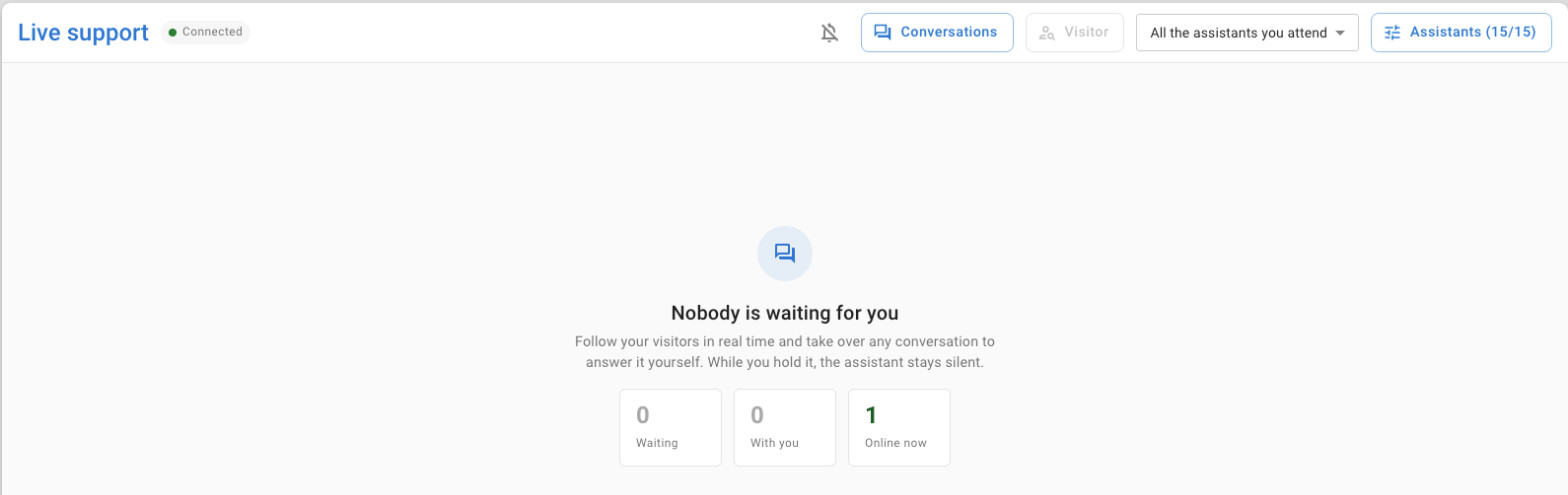
Everything you need to answer quickly
The console is built for replying, not for reading reports.
An inbox sorted by urgency
Visitors waiting for a reply come first, oldest on top, then your conversations and the assistant’s.
Desktop notifications
Get notified when a visitor writes in a conversation you hold or that waits for you.
Visitor details next to the chat
The data your site passes, the page they’re on and their questions from the last 30 days.
Forms from the console
Send one of the assistant’s forms and see the answers in the conversation.
Nobody left waiting
If you stop replying for 3 minutes or close the console, the assistant takes the conversation back.
WhatsApp in the same place
Customers who ask for a person on WhatsApp wait here too, with the 24-hour window in view.
Before your team starts answering
- On your website, you decide when to step in. On WhatsApp, customers can also ask for a person themselves.
- To see visitors’ names and emails, your site passes them to the assistant when it loads it.
- Live support keeps conversations while they’re active. Questions and answers stay in Analytics, and form submissions in your leads.
- Open the console with the Seekdown account that owns the assistants. The full guide is in the Live support documentation.
Deciding when your team should step in?
Tell us which conversations need a person and when your team is available. We’ll help you set up the assistants, the console and the hand-offs.