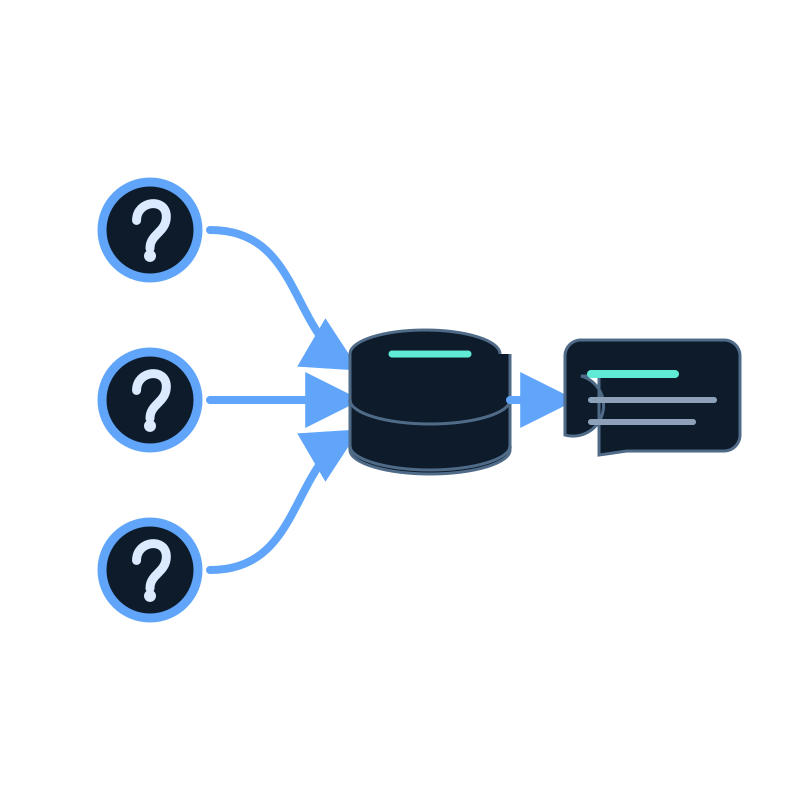
“Can I deduct this?” “When is it due?” Answered before they call.
Every quarter your team answers the same questions by phone, email and WhatsApp, and chases the same missing invoices. Seekdown gives your website an assistant that answers them from your own guides and circulars, tells each client exactly what to send — and puts anything personal or urgent in front of an advisor.
No code · Live in minutes · Answers cited from your own content
The questions that fill your inbox every quarter
You have answered them hundreds of times — on the phone, by email, in your circulars. The assistant answers them the way your firm does, with a link to your own explanation.
“When is the quarterly return due?”
VAT and income tax instalments, the annual return, corporate tax. The assistant answers from your tax calendar and tells the client what you need from them before each date.
“Can I deduct this expense?”
Car, phone, working from home, meals with clients. It explains the general rules from your guides — and says clearly when the answer depends on the client’s situation.
“What do I need to send you?”
Issued and received invoices, receipts, bank statements, payslips. A checklist for each service and a direct link to how your firm wants documents uploaded.
“I’ve received a letter from the tax office”
Clients panic and call. The assistant explains the first steps your firm recommends, collects the notice details and the response deadline, and flags it to an advisor.
“Self-employed or a company?”
Starting a business, contributions based on income, when incorporating makes sense. It shares your firm’s explanations and offers a consultation to review the numbers.
“How does the new rule affect me?”
E-invoicing, new reporting obligations, rate changes. Publish your circular once and the assistant explains it to every client who asks, citing it.
Less chasing, more advising
The questions are only the visible part. Behind them are the problems every advisory firm knows.
Quarter-end call peaks
The same questions arrive all at once before each deadline. The assistant absorbs the repetitive ones, at any hour, so your team keeps working on the returns.
Late or incomplete documents
Clients send half the invoices on the last day. When clients can ask any time what is needed and by when, fewer follow-up emails are needed.
Requests scattered everywhere
Email, phone, WhatsApp. Forms in the chat turn a vague message into a structured request — client, service, deadline, documents — sent to the right person.
Advice stays with your advisors
Pre-configured for advisory firms: general answers from your content, and personal cases referred to a professional instead of guessed.
Become more proactive
Analytics show what your clients ask most and what the assistant could not answer — the topics for your next circular or newsletter.
New clients outside office hours
People comparing advisors — or switching from another firm — get answers in the evening, and an intake form captures their details for your team.
Your clients already write to you on WhatsApp
Publish the same assistant on your firm’s WhatsApp Business number. It answers from your guides and circulars, and passes personal cases to an advisor in the same chat.
Hi, what do I need to send you for the quarterly return?
09:12For the quarterly return we need:
- Issued and received invoices
- Receipts for business expenses
- Bank statements for the quarter
Please upload them by the 10th: firm.example/documents
09:12I’ve also received a letter from the tax office
09:13I’m passing you to one of our advisors. They’ll reply in this same chat.
09:13Example conversation with sample data.
The same answers as your website
One assistant, one knowledge base. Update a circular and both channels use it.
An advisor takes over in the chat
Clients ask for a person and your team replies from Live support during office hours. Outside them, the assistant keeps helping.
Requests with every detail
Intake and tax-notice forms are filled in one question at a time and saved with your website leads.
Follow up days later
When a return is ready, an approved template reopens the conversation after WhatsApp’s 24-hour window.
What should go to an advisor, and what can the assistant answer?
A practical guide to client WhatsApp messages in an advisory firm: hand-offs, forms and documents.
An advisor can step into any conversation
The assistant answers by default. When a client needs a professional, someone from your firm takes the conversation over from the Live support console, on your website or on WhatsApp.
See conversations as they happen
The console lists every client chatting with your assistants, with those waiting for a reply first.
Take over when it matters
A tax notice, a client about to leave, a new company. You answer and the assistant stays silent until you hand it back.
Know who you’re talking to
If your client area passes the client’s name and email to the assistant, you see them next to the chat, with their recent questions.
When should a person take over from the assistant?
The signals to watch, and how to hand the conversation back without leaving anyone waiting.
Set it up before the next quarterly deadline
Start free with your firm’s website: the assistant comes pre-configured for advisory firms and you check every answer before you publish it. Prefer to talk it through first? We're happy to help you scope it.
What should an assistant do when it doesn’t know?
For a professional firm, a good hand-off matters more than a clever answer. Here is how to configure it.