Crawl a Website
If your knowledge is already published online, point a data capture job at it. You give it a starting address, and it reads your pages one by one, turning them into searchable knowledge — no copy-paste required.
Before You Start
- Decide which site (or which section of it) you want to capture.
- Create or choose the dataset it should fill.
- Make sure the site is one you're allowed to crawl.
Steps
- Open Data capture from the main menu.
- Choose New data capture to open the creation form.
- Pick the website option — this is the standard way to capture a site's public pages.
- Give the job a clear title so you can recognise it later (e.g. "Help center crawl" or "Blog — weekly").
- Add one or more starting URLs — these are the pages where the job begins. It opens each one, reads the links on it, and follows them outward. If you enter the root of a section (like
https://acme.com/docs/), the job finds everything linked from there. - Choose the destination dataset where captured content will land. You can pick an existing one or create a new one during this step.
- Optionally add tags — every content item the job captures will carry these tags, which makes filtering and batch-editing easier later.
- Create the job. Seekdown saves the configuration and starts the first run automatically.
Keep the job in bounds
A data capture job only visits its allowed hostnames and honors your included/excluded path rules, a link depth, and a page cap set by the capture scope (Preview 100, Small 500, Medium 1500, Large 5000, or Custom). Set these before a big run — see Adjust Capture Scope.
Choosing a Crawl Scope
The crawl scope caps how many pages a single run may capture. Pick the smallest one that still covers your content:
| Scope | Max pages | Good for |
|---|---|---|
| Preview | 100 | A first test, a small site, or one focused section. |
| Small | 500 | A blog or a modest product site. |
| Medium | 1500 | A typical documentation or support site. |
| Large | 5000 | A large support center or multi-section site. |
| Custom | No fixed cap | Special cases (subject to your plan's usage). |
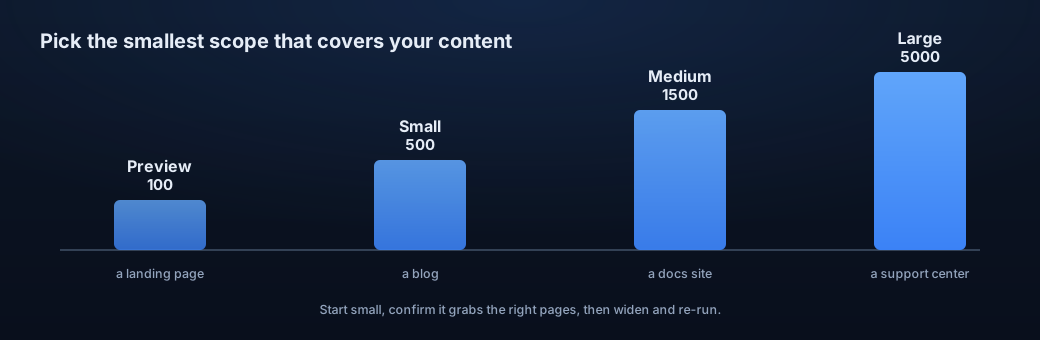
A good habit: start small, confirm it's grabbing the right pages, then widen the scope and run it again.
Verify the Result
The job's details page opens. Watch its status, and check the refreshed contents or the discovered links to see what it found.
Troubleshooting
- If it captures nothing, revisit hostnames, path rules, depth, and any blocked-URL messages.
- Some sites need a login or block crawling altogether.