Tutorial: Embed an Assistant on a Website
Take an assistant live on any HTML page. Two prerequisites, one snippet, done.
Steps
- Add the site's domain to the assistant's allowed origins — until you do, the assistant refuses to load there.
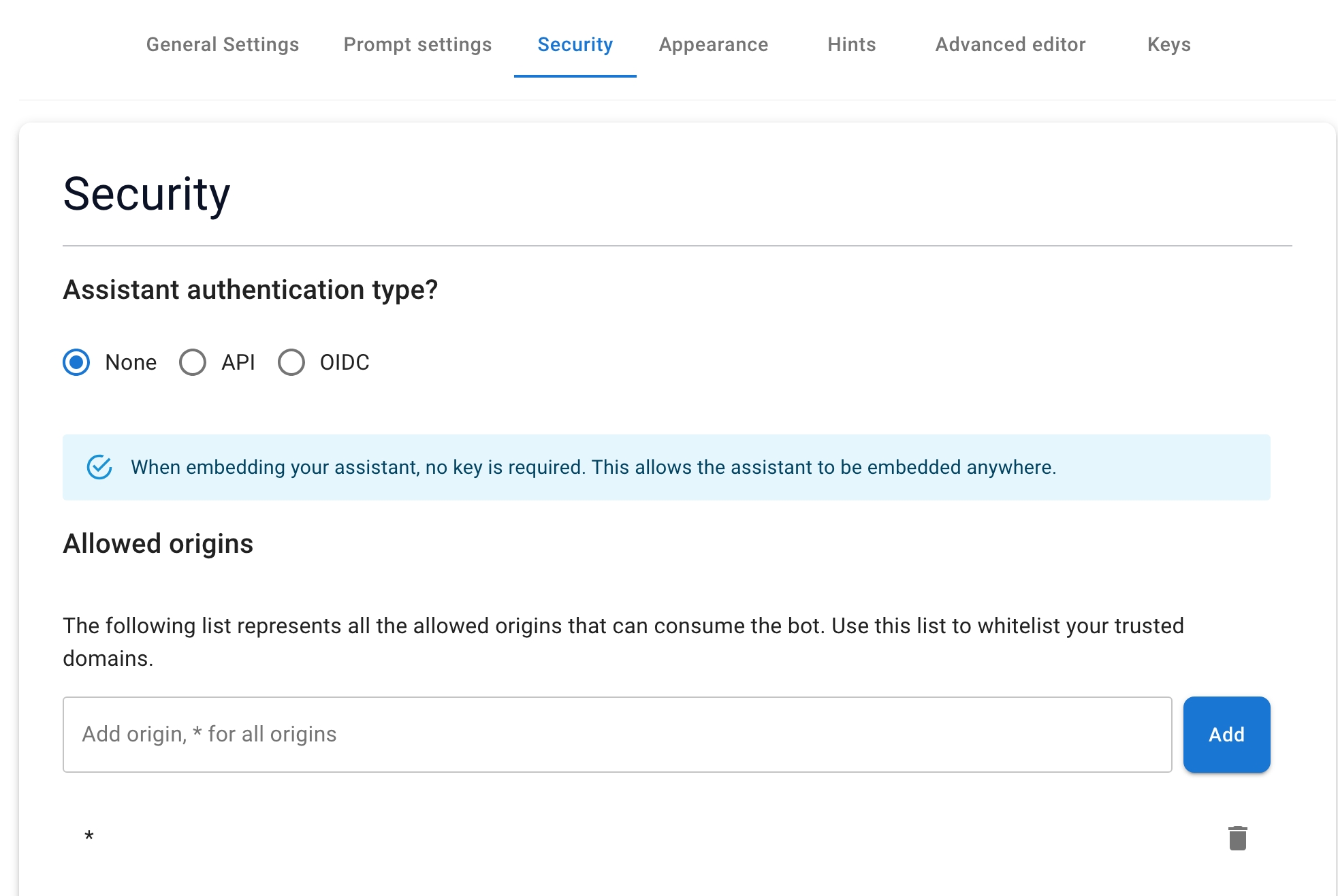
- Generate an API key if the security mode is API (a None-mode assistant needs none).
- Paste this snippet into your page, swapping in your own values:
<div id="seekdown-assistant-root"></div>

<script src="https://saas.seekdown.ai/js/seekdown-assistant.js"></script>
<script>
  document.addEventListener('DOMContentLoaded', function () {
    if (window.skdwn?.startAssistant) {
      let seekdownAssistantOptions = {
        assistantId: 'your-assistant-id',
        accessToken: 'your-api-key-or-identity-access-token',
      };

      skdwn.startAssistant(seekdownAssistantOptions);
    } else {
      console.error('skdwn.startAssistant is not available.');
    }
  });
</script>
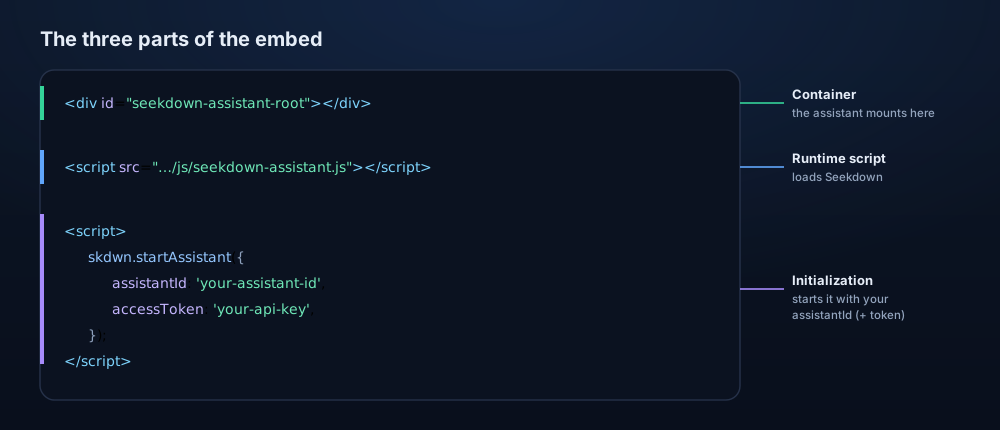
The snippet has three parts — the runtime script, the container, and the init call:
- Publish the page and open it — the assistant should appear and answer.
Troubleshooting
- If the widget is missing, check the script URL, the container, the assistant ID, and the browser console.
- If access is blocked, confirm the page's domain is in allowed origins.