Add Content Manually
Besides uploads and crawls, you can add a single content item by hand — useful for one-off entries, corrections, FAQ answers, or content that doesn't live in a file or on a website.
Steps
- Open the dataset from Memory datasets.
- Choose Add content from the actions bar above the contents list.
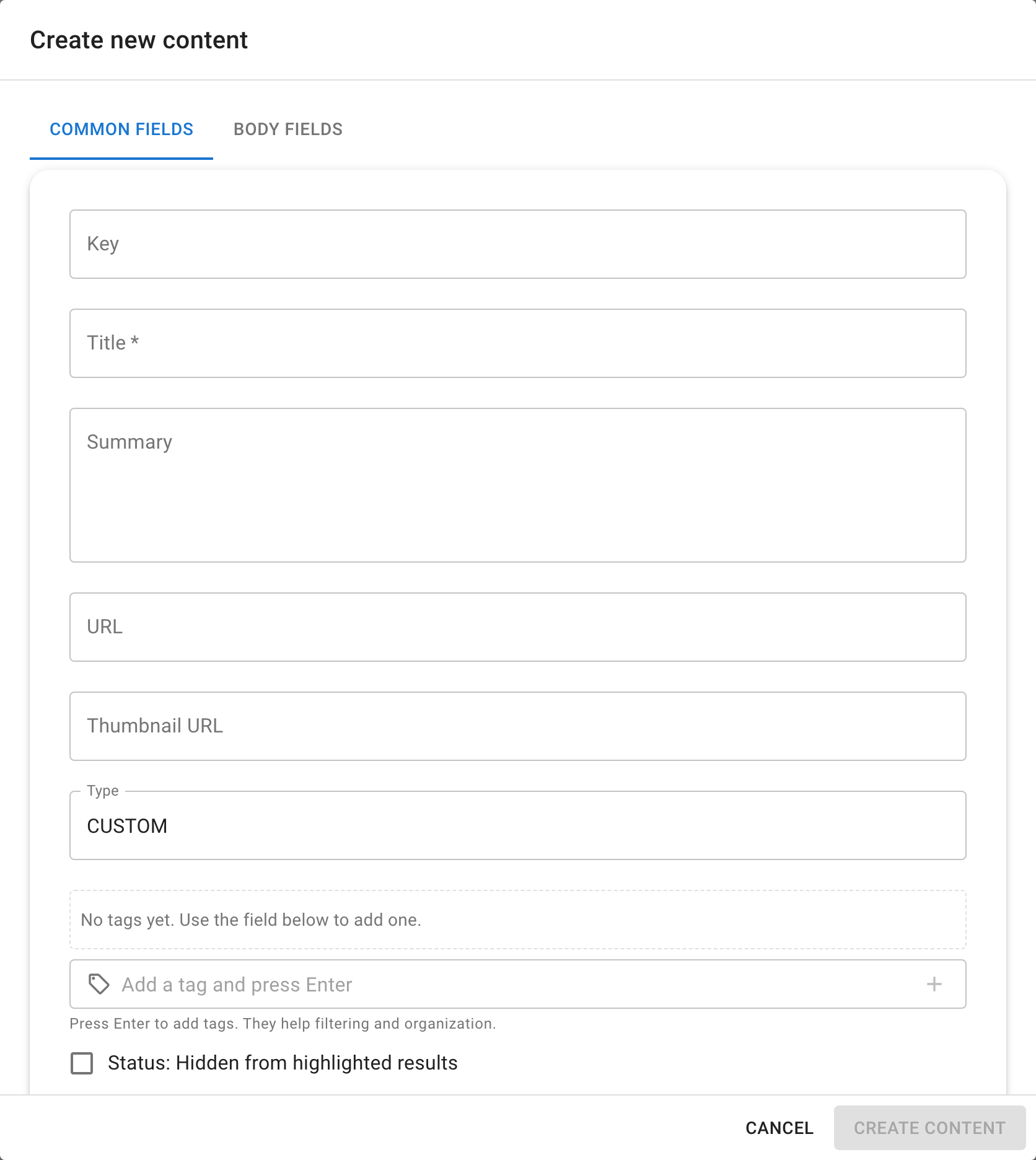
- Fill in the fields in the creation dialog:
| Field | What it is |
|---|---|
| Title | The item's display name (required). This is what appears in search results and in the contents list. |
| URL | An optional source link. If the content originally comes from a page, paste the URL here — the assistant can show it as a reference when it cites this item. |
| Tags | Labels you can use to group and filter items later. Useful when a dataset mixes content from different sources or topics. |
| Body / Summary / Text | The actual content the assistant will read and search. Write it as plain text or Markdown. The Body Fields tab lets you fill in structured sub-fields if the dataset supports them. |
Hidden (skipReferences) | When on, the item is still included in the context chunks the assistant reads, but it won't appear as a highlighted reference in the answer. Useful for background context that shouldn't be surfaced directly. |
| Files | Optional attachments (images, documents). Attached files are processed just like uploaded documents. |
- Save the item. Seekdown indexes it automatically, so it becomes searchable and answerable within moments.
Verify the Result
The new item appears in the dataset's contents list. Open it to confirm the fields look right, or search for a term from its body to check it's already indexed.
Troubleshooting
- If a field isn't shown, the dataset's content type may not support it (for example, form-submission datasets have a different field layout).