Read Assistant Analytics
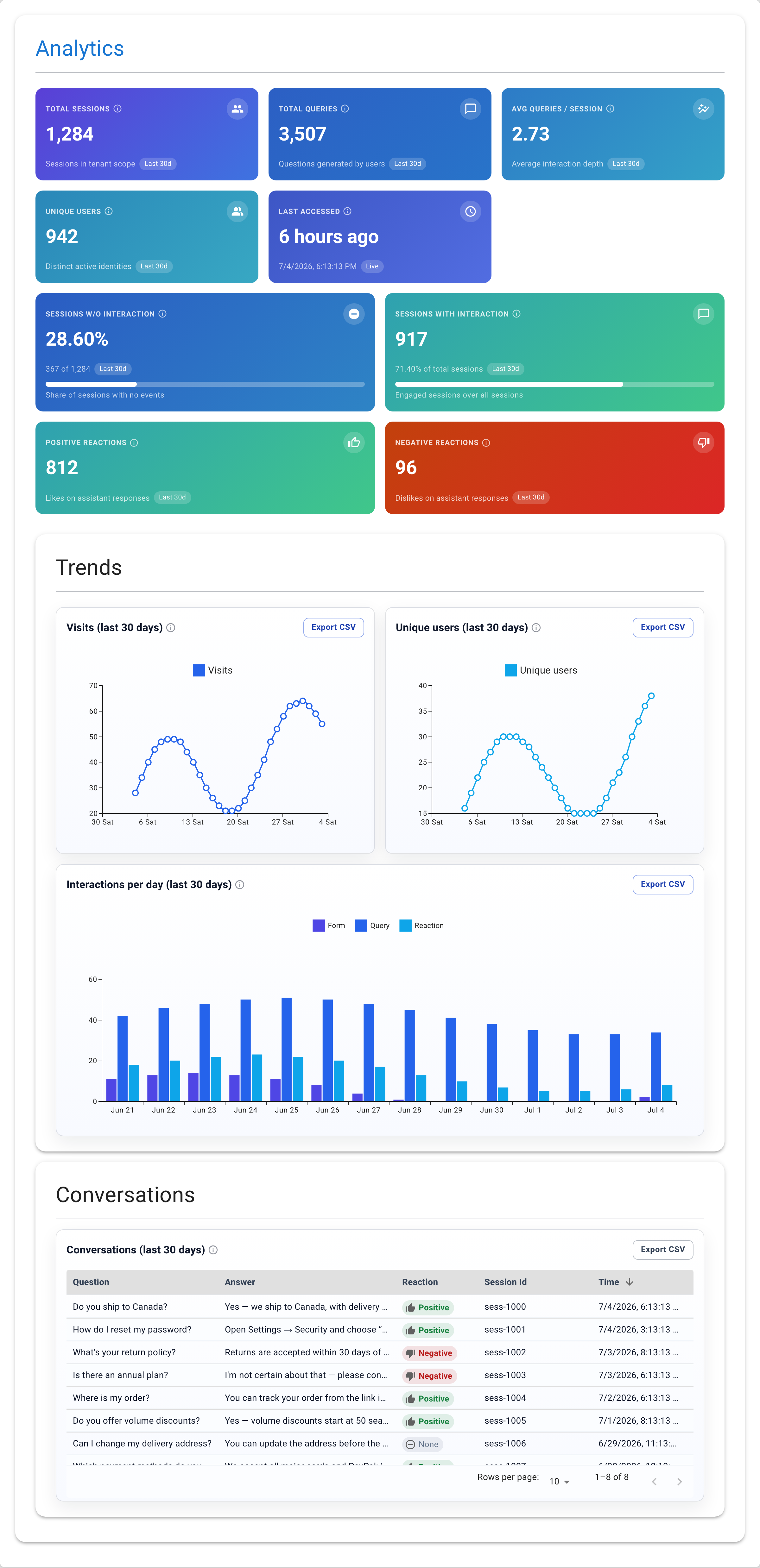
Assistant analytics show the same dashboard scoped to one assistant. Use them when you want to compare how different assistants perform or drill into a specific one. Search centers have the very same analytics — open one and choose Analytics to see the identical dashboard scoped to it.
Steps
- Open the assistant from AI Assistants.
- Choose Analytics from the assistant's navigation.
- The same KPI cards, trends, and conversations appear — but only for this
assistant.
The only difference from global analytics is the Conversations table: instead of an Assistant column, it shows a Session Id column. This lets you group questions by session — useful for following how a single visitor's conversation unfolded.
Comparing Assistants
If you run several assistants (for example, one for support and one for sales), compare their analytics side by side:
- Which gets more queries? The busier one may need more content in its
dataset.
- Which has more negative reactions? That's where answer quality needs work.
- Which has higher engagement (avg queries / session)? Use the better one
as a reference when tuning the other.