Adjust Capture Scope
The scope is how you tell a data capture job where it may go and how much to take. Get it right and it captures exactly the content you want — nothing more, nothing less.
Before You Start
- Open the website job.
- Know which pages belong in, and which don't.
Steps
- Open the job's details page from Data capture.
- Choose Edit properties to open the configuration form.
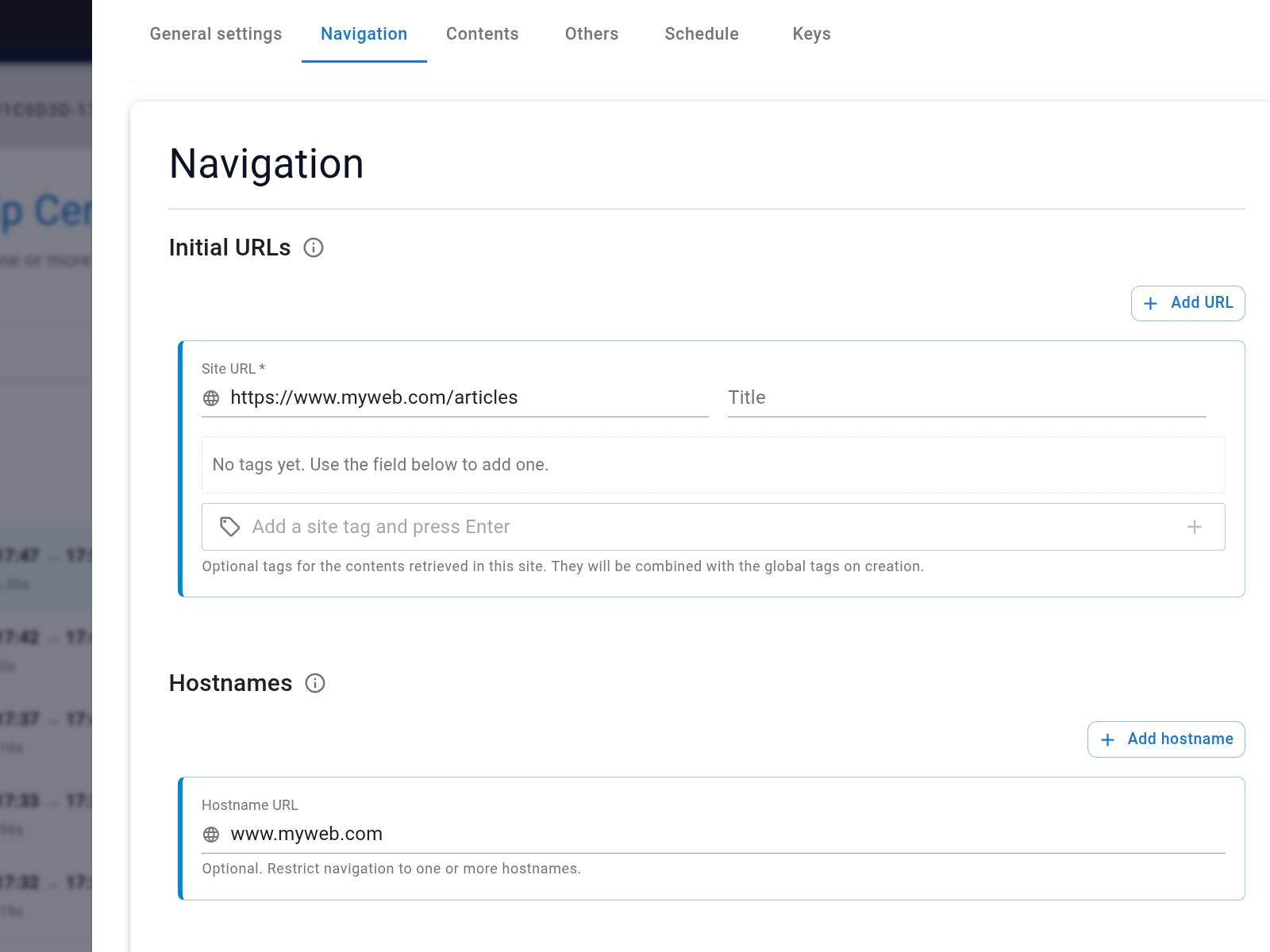
- Open the Navigation settings — this is where all the scope controls live.
- Review the initial URLs (where the job starts) and the hostnames list. The job will only follow links that match one of the allowed hostnames, so if your site uses subdomains (e.g.
docs.acme.comandblog.acme.com), add each one. - Add included paths to restrict the job to specific sections. For example,
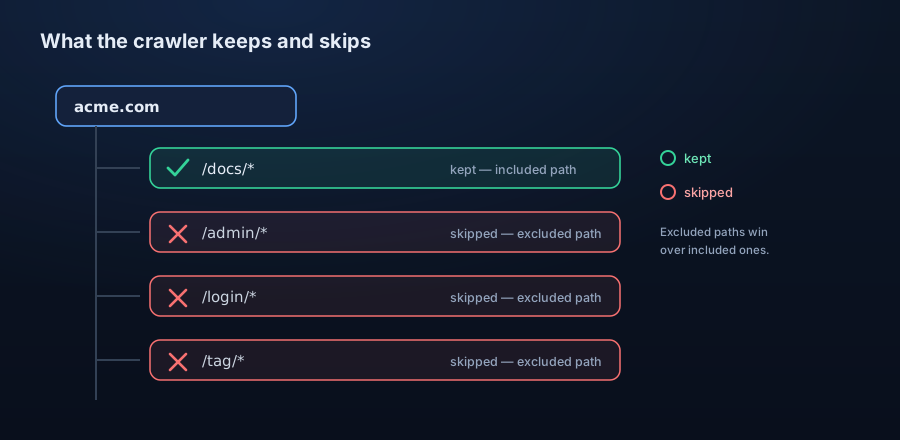
*/docs/*keeps only pages whose URL contains/docs/. If you leave this empty, the job visits everything on the allowed hostnames. - Add excluded paths for areas you want to skip — login pages, admin panels, tag archives, and so on. Excluded paths take priority over included paths, so you can include a broad section and carve out exceptions within it.
- Set the crawl depth (how many link-hops from the starting URLs the job will travel) and the max content count (an absolute cap on how many pages it processes in a single run).
- Save the updated configuration.
Path rule examples
Included and excluded paths are glob patterns matched against a URL's path:
- Keep one section: included path */docs/* captures only the documentation and ignores everything else. - Skip the noise: excluded paths */login/*, */cart/*, */tag/* drop sign-in, checkout, and tag-archive pages. - Carve an exception: include a broad section and exclude a sub-path within it — excluded paths win over included ones.
Verify the Result
Re-run the job, then check the discovered links and refreshed contents to see the new scope in action.
Troubleshooting
- Too little content usually means the scope is too narrow.
- Too much means it's too broad.
- Remember an excluded path can quietly cancel out a page you thought you'd included.