Configure How the Number Answers
Open the number from AI assistants → WhatsApp or from the assistant's Channels tab. The Settings tab shows a Preview of the chat on a phone as you edit.
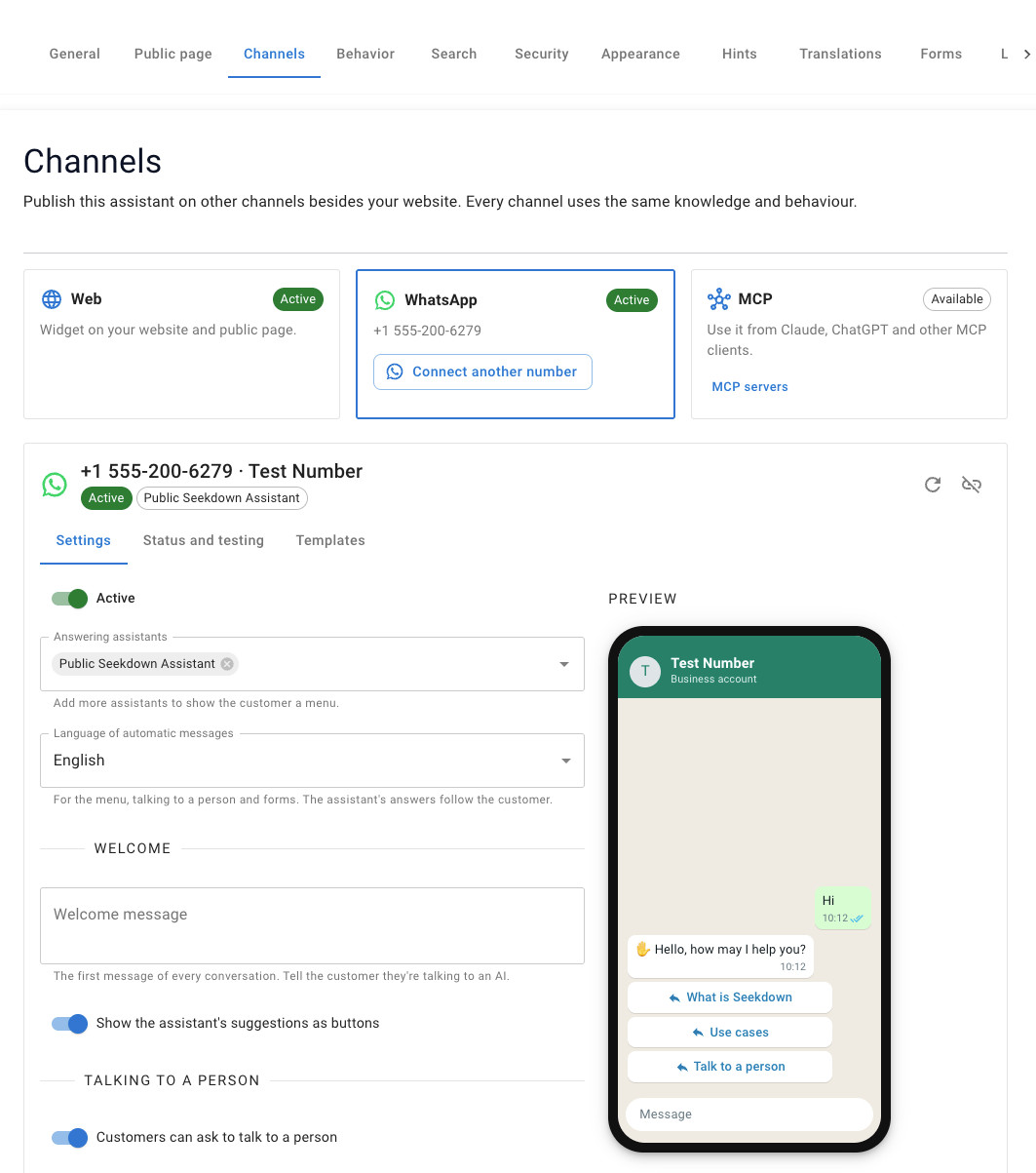
| Setting | What it does |
|---|---|
| Active / Paused | Paused numbers stop answering. Nothing is deleted |
| Answering assistants | One assistant answers directly. Add more to show the customer a menu |
| Menu text | The text above the list of assistants when there's a menu |
| Language of automatic messages | Language of the menu, the hand-off messages and the forms (Spanish, English, French, German or Italian). The assistant's answers follow the customer's language |
| Welcome message | The first message of every conversation. Empty uses the assistant's welcome. Tell the customer they're talking to an AI |
| Show the assistant's suggestions as buttons | Turns the assistant's suggestions into reply buttons. WhatsApp allows three buttons, one of which is Talk to a person when hand-off is on |
| If they send audio, images or files | The reply when a customer sends something other than text. For now the assistant only reads text |
| If the assistant can't answer | The reply when the assistant fails to answer, for example during an outage |
Empty texts use a Default text in the chosen language. Click Save when you're done.
First message. When a customer only says hello, they get the welcome with the suggestions as buttons. When their first message is already a question, the assistant answers it and adds the buttons at the end.