Publish and share a Search Center
A hosted Search Center gives visitors a URL they can open without navigating through the rest of your website. Publish it only after the page, answers, and source links pass an anonymous-access test.
Check the publishing conditions
The hosted page opens publicly when:
- Publish a public page is on; and
- Search center authentication is set to None.
If API or OIDC authentication is enabled, anonymous hosted access is intentionally unavailable. Use an authenticated website embed instead.
Copy the correct URL
Use Copy public link from the Search Center list or copy the read-only Public link from General. The address follows this shape:
https://saas.seekdown.ai/search/srch-example123/your-link-nameThe srch-… value identifies the Search Center. The link name is the readable part and can change without becoming the identity of the page.
Test as a visitor
Open the URL in a private browser window where you are not signed into the dashboard.
| Test | Pass condition |
|---|---|
| Anonymous load | The search page opens without dashboard credentials |
| Known question | The approved answer and expected sources appear |
| Unsupported question | The result does not invent missing information |
| Source card | The original document opens correctly |
| Narrow screen | Search, suggestions, answer, and cards remain usable |
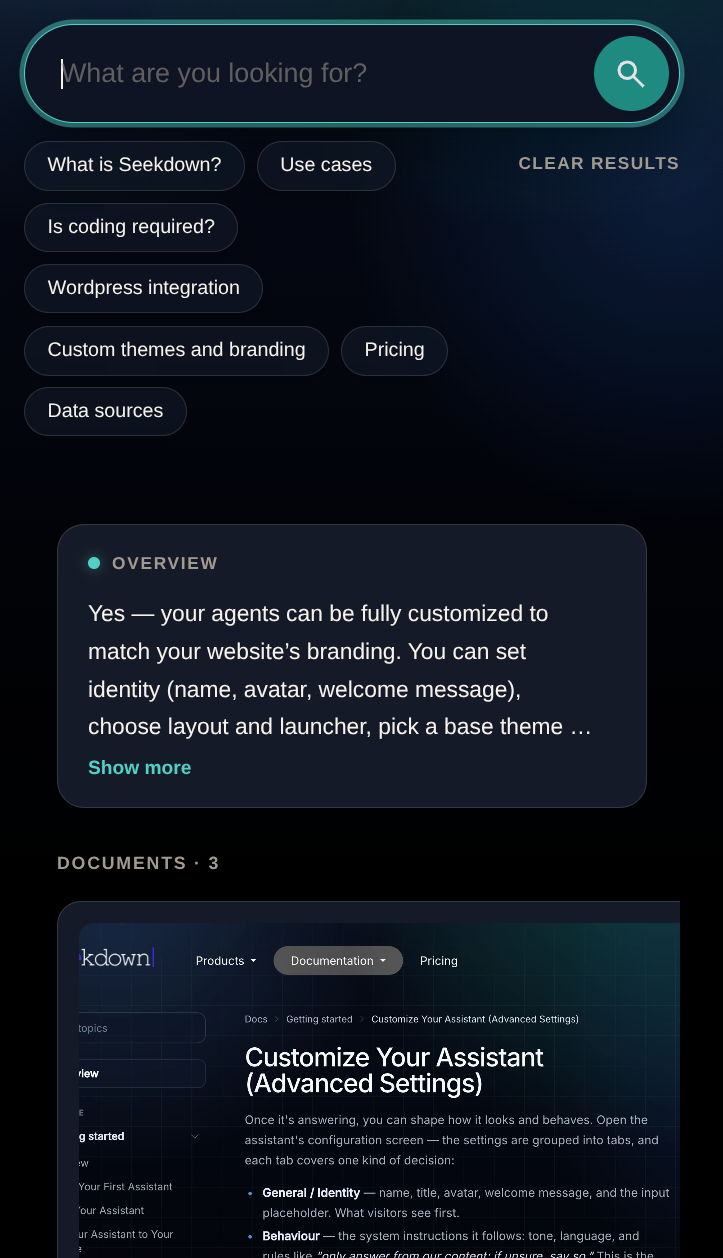
Put the link where search begins
Use descriptive link text such as Search our documentation or Find an answer. Suitable placements include the main navigation, documentation header, support page, onboarding material, and replies to common questions.
Do not hide the destination behind a vague Learn more link. Visitors should know they are opening a search page.
Check the dataset before anonymous publishing
Authentication set to None makes the connected content available through public questions and source links. Do not publish a dataset containing private or draft material.
Keep one canonical URL in your navigation and records. After changing the link name or access settings, retest every prominent placement.