Customize a Search Center

Customize a Search Center around the search task: identify the content clearly, suggest useful questions, and keep the result page easy to scan.
Open the Search Center and work through its configuration tabs. The available settings focus on a public search page; conversational settings such as greetings and forms are not part of this surface.
Set the page identity
Use General for the masthead and public address.
| Setting | Practical use | Verification |
|---|---|---|
| Publish a public page | Makes the hosted page available when access is public | Open the public link in a private browser window |
| Link name | Adds a readable ending to the public URL | Copy the link and confirm it resolves |
| Search center title | States what visitors can search | Check the heading above the search box |
| Logo | Identifies the organization or content set | Check desktop and narrow layouts |
| Description | Explains the scope in one short sentence | Confirm it does not promise unsupported topics |
Configure search behavior
Under Search, choose whether every answer can use the full dataset. If that option is off, set Documents retrieved per search to limit how many records feed a response.
Remember previous searches between visits is off by default. Leave it off for a clean search experience, or turn it on when returning visitors need continuity.
Replace sample suggestions
New pages begin with example queries. Replace them with questions that represent real visitor tasks and that the dataset answers well.
Avoid vague prompts such as “Tell me more.” A suggestion such as “Which file formats can I upload?” sets a clear expectation and provides a useful acceptance test.
Apply appearance and translations
Use Appearance for the theme and color palette. Use Translations for interface labels and messages. Test both the initial search state and a completed result in every supported language.
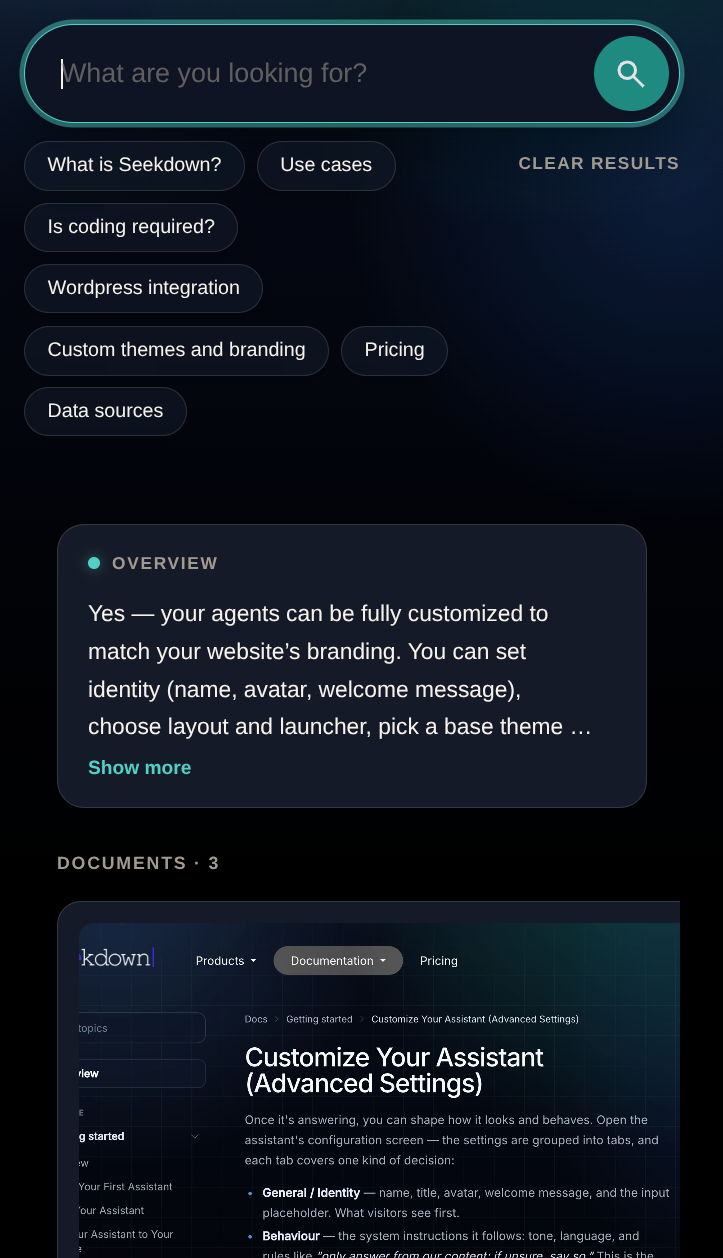
Review the public result
Customization is complete when a new visitor can answer three questions without prior context:
- What content does this page search?
- What kind of question can I ask?
- Where can I verify the answer?
Run one suggestion, inspect the overview and source cards, and repeat at mobile width. Visual changes should clarify the search experience without hiding the cited documents.