AI documentation search
Documentation readers often know what they want to do but not the name of the page that explains it. AI documentation search can accept the task in the reader's words and return an answer grounded in the indexed docs.
It should complement clear navigation and exact search, not hide the documentation.
Start with tasks, not page counts
Collect questions from support tickets, site search, onboarding, and developer feedback. Map each question to the page that should answer it.
Examples include:
- "Where do I allow my domain?"
- "How do I refresh the captured pages?"
- "Which file formats can I upload?"
- "Why is the assistant not showing on my site?"
If a question requires information scattered across several pages, decide whether the docs should be consolidated or whether a cited combined answer is genuinely useful.
Capture the documentation boundary
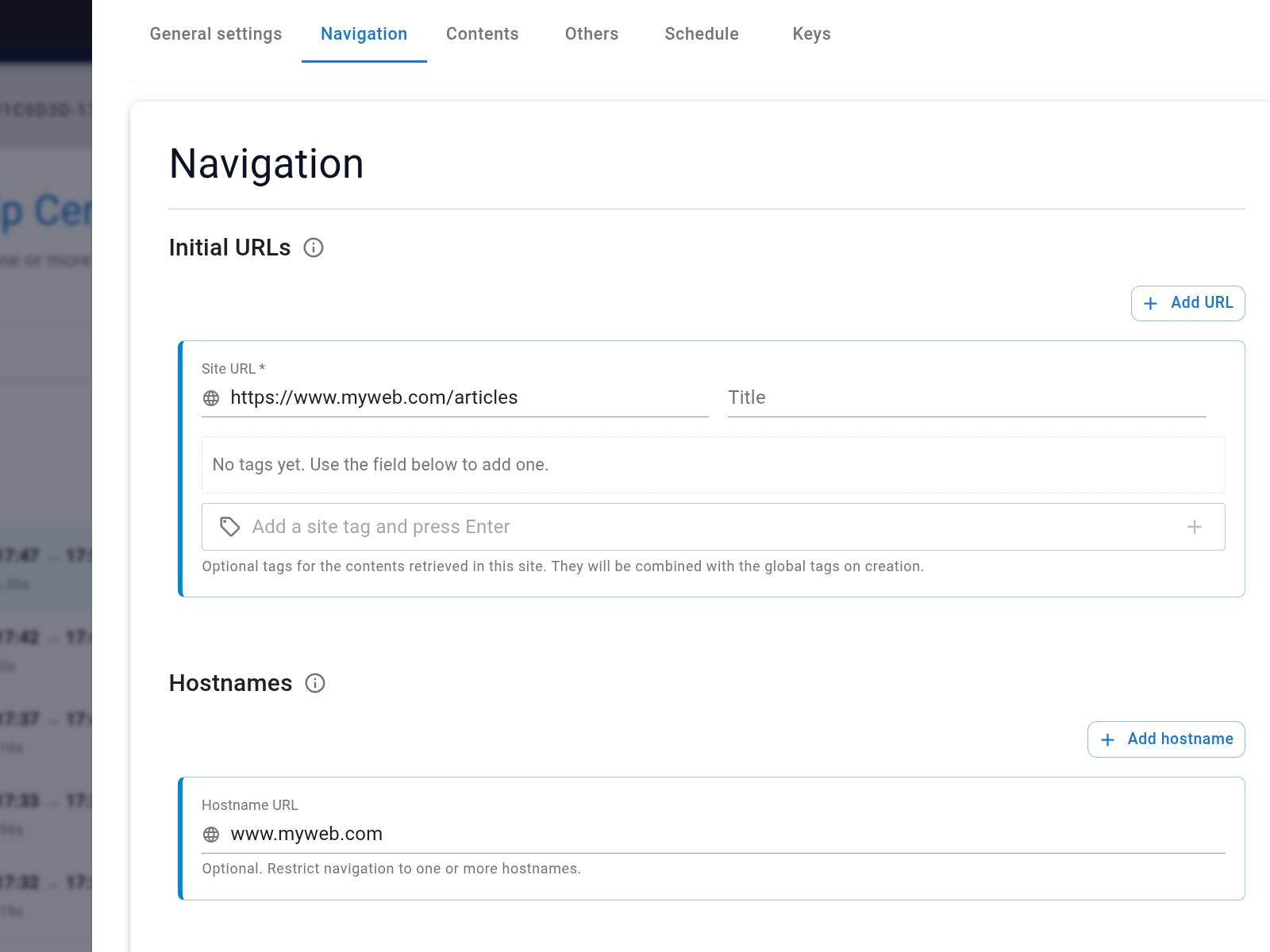
Configure the website data capture job with the docs hostname and relevant path. Exclude old versions, generated indexes, account pages, and internal material.
Review discovered links and dataset contents before connecting the visitor experience.
Choose the right surface
A Search Center works well when search is the main documentation task and should have its own public URL. An embedded assistant works when readers should ask questions without leaving the current guide.
In both cases, show source links so readers can inspect prerequisites, code, warnings, and surrounding detail.
Test answer usefulness
| Test | Pass condition |
|---|---|
| Task phrasing | Reader terminology retrieves the correct guide |
| Exact configuration | Values and interface labels match the source |
| Multi-step procedure | The answer preserves the documented order |
| Version question | The current version is used |
| Unsupported integration | The answer does not invent support |
| Citation | The link opens the page containing the stated fact |
Keep exact keyword search available for identifiers, error codes, API methods, and known page titles. Direct answers and conventional search solve different documentation tasks.
Use conversation reviews to find missing pages and confusing terminology, then improve the documentation and recapture it.