What to measure after adding an AI chatbot to your website
A launch tells you that the chatbot loads. It does not tell you whether visitors ask useful questions, receive supported answers, or leave without interacting.
AI chatbot analytics become useful when each metric leads to a review task. Start with the questions and answers themselves, then use totals and trends to decide where to investigate.
Understand what Seekdown records
Seekdown distinguishes several measures:
| Measure | Meaning |
|---|---|
| Session | A group of activity that begins when a visitor opens the assistant |
| Query | One question and its answer |
| Unique user | A browser identity; the same person in two browsers counts twice |
| Reaction | Positive or negative feedback left on an answer |
| Session without interaction | A session in which the visitor opened the assistant but did not query, react, or submit a form |
Global analytics summarize the last 30 days. Dashboard playground traffic is excluded, while traffic from embeds, shared links, and the embedded preview is included.
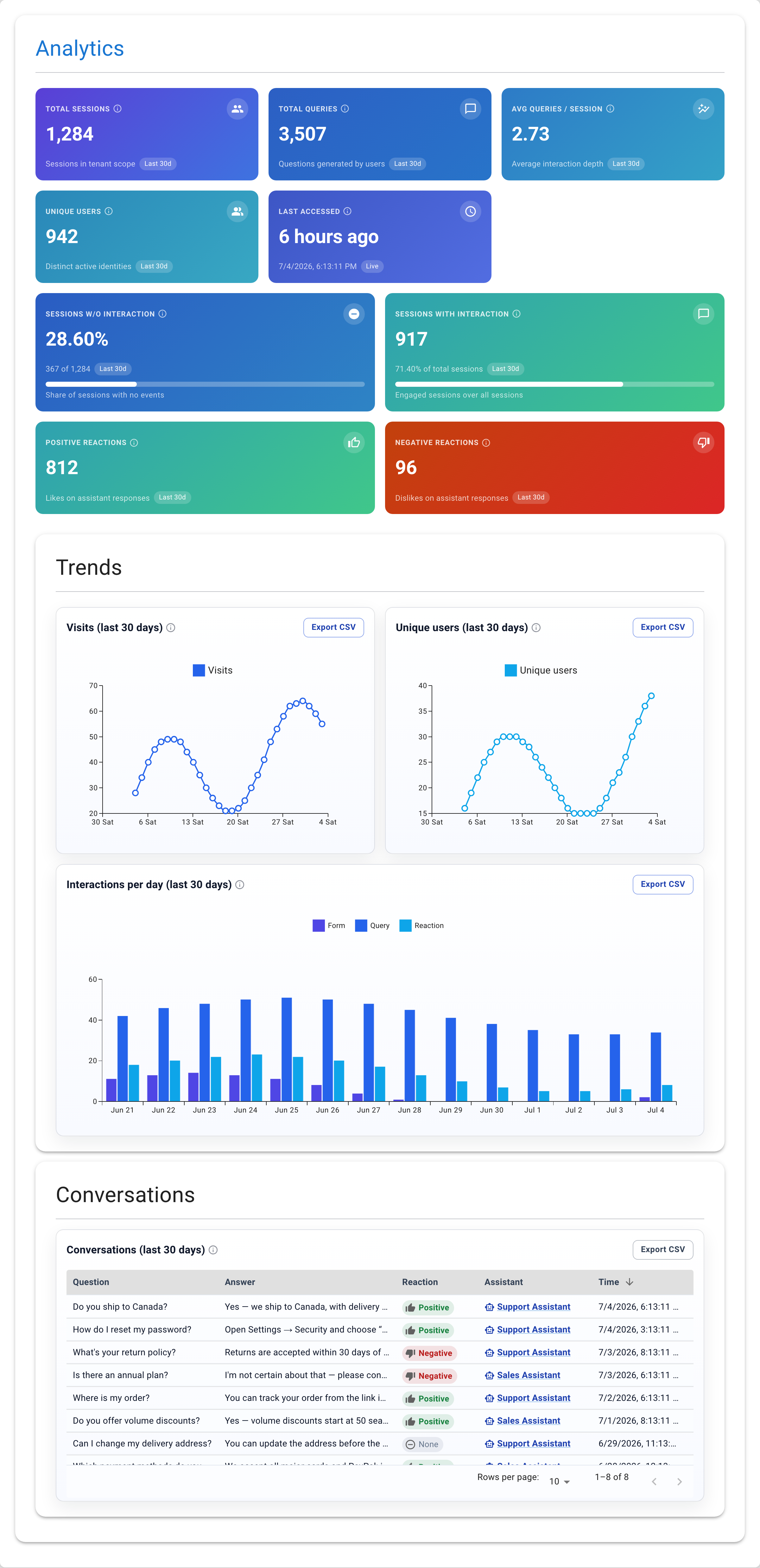
These definitions prevent common mistakes. For example, sessions are not the same as questions, and unique users are not verified people.
Use a review sequence, not one headline metric
1. Check whether people engage
Compare total sessions with sessions that contain an interaction. A large gap does not prove the welcome message is wrong, but it gives you a place to inspect: visibility, welcome copy, hints, or the relevance of the assistant on that page.
2. Read the actual questions
The Conversations table records the question, answer, reaction, assistant, and time. Export it to CSV when you need to group repeated wording or review a larger set.
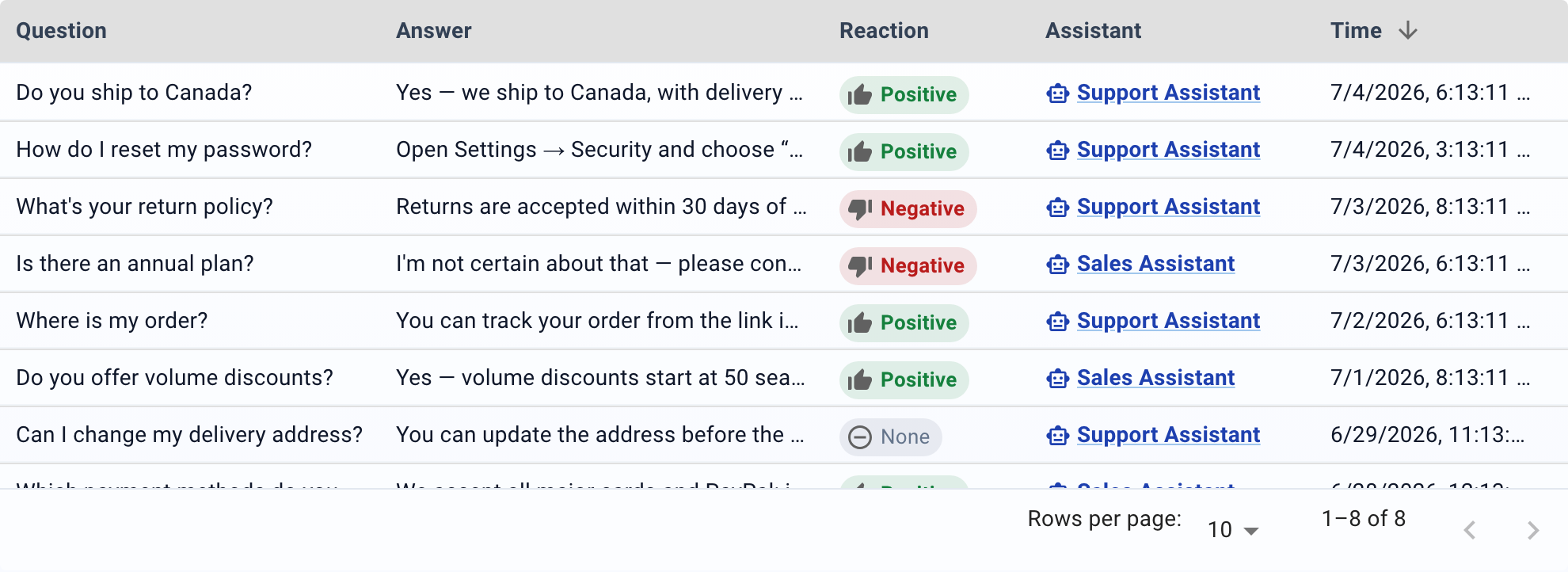
Group questions by task rather than by individual phrase. "Where is the WordPress code?", "How do I install this on WordPress?", and "WP setup" may point to the same missing or hard-to-find source.
3. Investigate negative reactions
A negative reaction is a review signal, not a diagnosis. Open the conversation and check:
- Did the dataset contain the answer?
- Did retrieval select the right source?
- Did the answer follow the source?
- Was the source itself unclear or outdated?
- Did the visitor expect a capability the product does not provide?
Fix the stage that failed. Rewriting the assistant instructions will not repair a missing policy page.
4. Re-test after changing content
Keep a short regression set for recurring questions. After updating a page or dataset, ask those questions again and record the source and result. This creates a defensible before-and-after check without inventing an outcome percentage.
A practical weekly review
| Review | Evidence | Possible action |
|---|---|---|
| Sessions without interaction | Session KPI and page context | Revise placement, welcome copy, or hints |
| Repeated questions | Exported conversation wording | Improve the relevant source page |
| Negative reactions | Full conversation and cited source | Correct content, retrieval, or response rules |
| Questions with no source-backed answer | Conversation review | Add documentation or define a careful fallback |
| Sudden traffic change | 30-day trend charts | Check the embed and recent site changes |
Do not optimize for more conversations in isolation. A short interaction that gives a verifiable answer may be more useful than a long conversation caused by confusion.
For the complete interface workflow, open the Seekdown analytics documentation.