What to look for in a WordPress AI chatbot plugin
A WordPress plugin can install a chat interface, but the interface alone does not explain where answers come from or how they stay current.
Evaluate the complete workflow: source selection, answer behavior, deployment, access controls, analytics, and maintenance.
Use practical evaluation tasks
| Criterion | Test | Red flag |
|---|---|---|
| Source control | Include one section and exclude tag, account, and archive paths | Plugin cannot show or limit its sources |
| Citations | Ask a policy question and open the supporting page | Answer has no inspectable source |
| Missing information | Ask about an undocumented feature | Plugin invents an answer |
| Placement | Test site-wide display and one selected page | Theme changes are required for basic placement |
| Security | Load from allowed and disallowed domains | Origin and authentication controls are unclear |
| Freshness | Edit a controlled page and run the documented refresh | Update process is unspecified |
| Analytics | Find the question and answer after the test | Only page-view totals are available |
| Removal | Deactivate the plugin on staging | It leaves broken visible markup or unclear cleanup |
Perform the tasks with your own WordPress structure. A vendor demonstration may avoid the archive, cache, security, and theme conditions your site uses.
Separate deployment from content updates
Ask whether the plugin:
- embeds a remotely configured assistant;
- processes WordPress content itself;
- sends selected content to a service; or
- combines those functions.
The Seekdown WordPress plugin handles deployment. Website content is captured and refreshed through Seekdown data capture jobs.
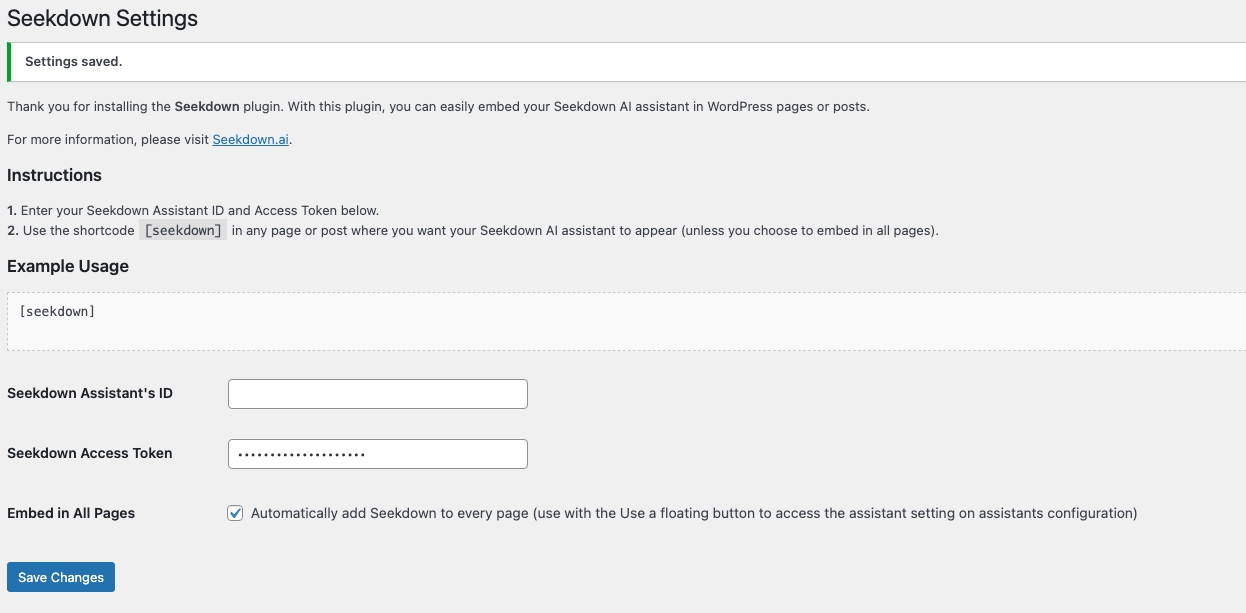
That separation means plugin activation is not evidence that content is current. Test the capture and answer workflow separately.
Check operational fit
Agencies should also verify how configuration is separated between clients, who can access assistant settings, how staging and production origins are managed, and what happens when a key or assistant ID changes.
Check compatibility with caching and consent tooling on a staging copy. Inspect the browser console and test both desktop and mobile placement.
Decide from the important failures
Give the highest weight to controls that prevent wrong or exposed answers: approved sources, safe fallback, citations, and access boundaries. Styling and launcher choices matter, but they cannot repair a weak content workflow.
Choose the plugin and service combination that passes your tasks with understandable maintenance responsibilities.