Website AI Assistant

What is a website AI assistant? A simple guide for site owners
What is a website AI assistant? A simple guide for site owners

A visitor lands on your pricing page, opens your documentation, checks two product pages, and still cannot answer a basic question: "Does this work for my use case?" If they cannot find the answer quickly, they may leave, open a support ticket, or ask sales something your website already explains. A website AI assistant is meant to help with that exact gap.

It is not magic, and it is not a replacement for clear website content. It is a way to let visitors ask questions in their own words and receive answers based on your source pages, documentation, FAQs, product content, and support material.

Used well, it turns existing website content into a useful self-service layer. Used poorly, it becomes another widget that gives vague answers.

The simple definition

A website AI assistant is a chat or question-answering experience that uses your website content as its source material.

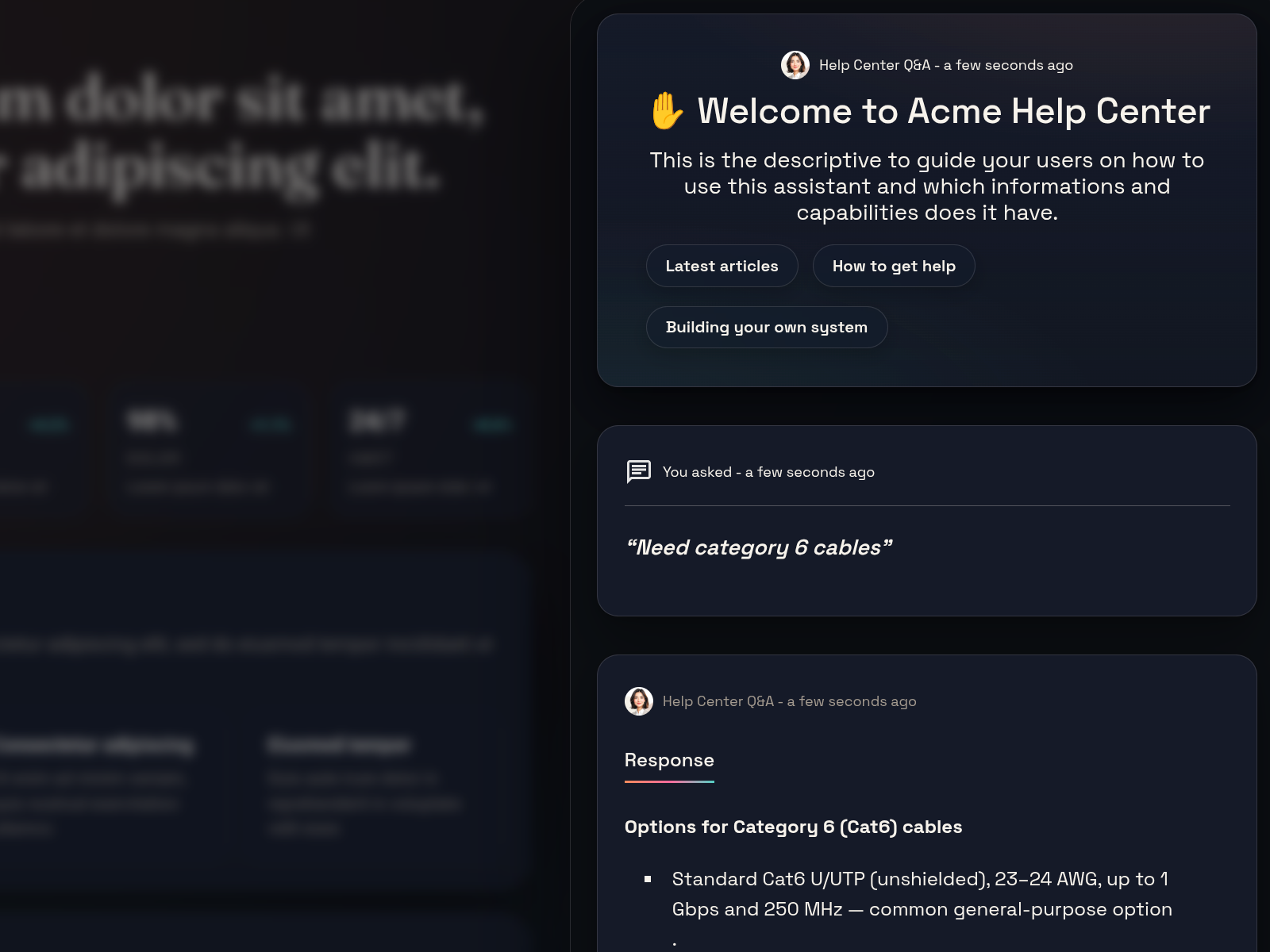
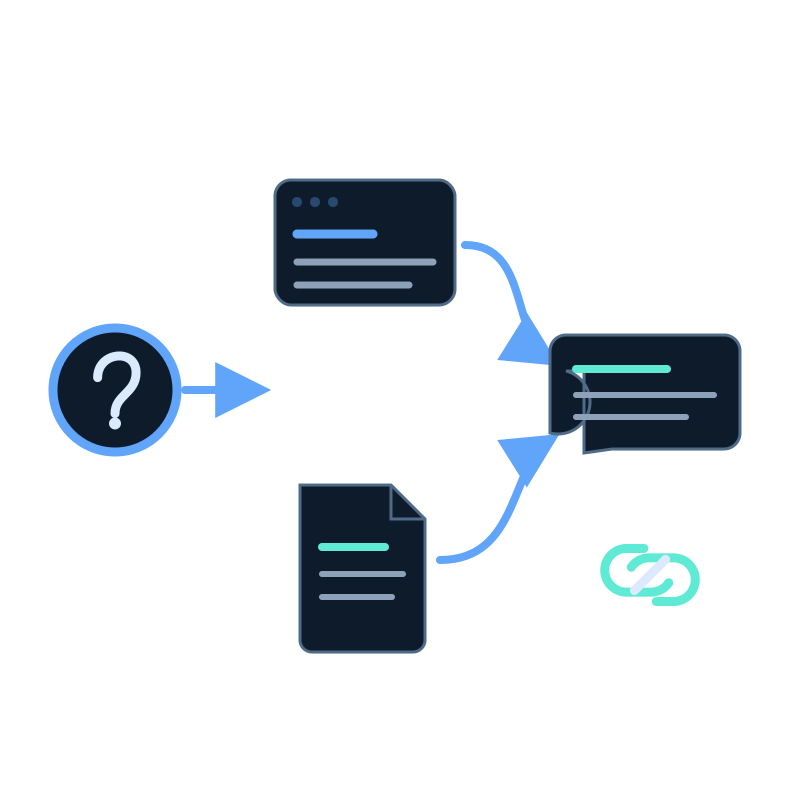
Instead of making visitors search through menus, filters, and long pages, the assistant lets them ask a direct question. The system searches indexed content, finds relevant source material, and generates an answer from that material. A good assistant also shows source citations so the visitor can open the page behind the answer.

A source-backed answer should feel specific

If a visitor asks whether a plan supports client websites, the answer should point to the pricing page, plan limits, or deployment guide. It should not guess from general knowledge or invent a policy that is not written on the site.

That last part matters. The assistant should not behave like a general-purpose chatbot guessing from public knowledge. For most business websites, the useful answers are specific: pricing rules, plan limits, delivery policies, product compatibility, onboarding steps, and support processes. Those answers need to come from approved sources.

Why normal website search often falls short

Traditional website search is useful, but it usually returns a list of links. That works when the visitor knows the exact term used on your site. It works less well when the visitor asks a practical question:

  • "Can I use this on a Shopify store?"
  • "What happens if I cancel?"
  • "Do you support SSO?"
  • "Which plan includes analytics?"
  • "How do I connect this to WordPress?"

The answer may exist, but it might be spread across a pricing page, a FAQ, a product page, and a setup guide. The visitor has to click, scan, compare, and decide which page is current.

That is where AI search and an assistant-style interface can help. The assistant can find the relevant parts of the indexed content and explain the answer in plain language, while still linking back to the source pages for verification.

Why this matters for site owners

Most websites do not fail because they have no information. They fail because the information is hard to apply at the moment a visitor needs it.

For a SaaS founder, prospects may keep asking the same pre-sales questions. For an ecommerce manager, shoppers may miss return rules or shipping exceptions. For a WordPress agency, every client may need the same explanation about which pages should be indexed and excluded. For a support lead, the help center may have the answer, but customers still open tickets.

The practical cost is not just extra support volume. Poor discovery creates doubt. If a visitor cannot verify a policy, compare options, or understand the next step, they may assume the product or service is harder to use than it really is.

An assistant can reduce that friction, but only when it is grounded in source material that is clear, current, and easy to cite.

How a good assistant works

The workflow is usually straightforward.

StepWhat happensWhat to check
Choose sourcesThe assistant is allowed to use public pages, docs, FAQs, support articles, product pages, pricing pages, uploaded documents, or API-fed content.Exclude outdated, duplicate, private, or noisy pages before launch.
Index the contentThe source material is made searchable by meaning, not only by exact words.A question about "cancellation" should still find a page that says "subscription ending" if it is relevant.
Receive a questionThe visitor asks in natural language instead of guessing the right menu or search term.Test with real visitor wording, not only internal product vocabulary.
Generate the answerThe assistant uses the matching source passages to write a direct answer.It should admit when the source content does not answer the question.
Show citationsThe answer links back to the source pages or documents used.Visitors and your team should be able to verify the answer.
Refresh the indexRegular crawling or scheduled data capture keeps the assistant aligned with the live site.Pricing, product, support, and policy changes should not leave old answers behind.

In Seekdown, this knowledge is stored in memory datasets, which assistants use when answering questions. The important point is not the storage name. The important point is that the assistant answers from approved material, not from a loose guess.

Tone and behavior settings also matter. The assistant should be direct, stay within the source material, and guide the visitor to the next useful page when appropriate. A confident answer without grounding is worse than a careful answer that says, "The site does not clearly say this."

Practical examples

SituationVisitor questionUseful source materialWhat the assistant should do
SaaS pricing"Which plan lets me embed this on a client website?"Pricing page, plan descriptions, deployment guideAnswer with the relevant plan information and link to the pages that explain limits and embedding.
WordPress agency setup"Can we add the assistant to every page, or only to support pages?"WordPress guide, embed settings, allowed origins, branding docsExplain the setup options and point to the implementation guide.
Ecommerce policy"Can I return an opened item if it was bought during a sale?"Return policy, sale terms, support policyAnswer only from the policy. If the exception is not covered, say so and point to support.
Product compatibility"Does this integrate with Microsoft Excel?"Integration guide, OData reference, tutorialsSummarize the practical answer and cite the setup guide so the visitor can follow the steps.

These examples are simple, but they show the pattern. The assistant is useful when it joins scattered source pages into one answer while still letting the visitor inspect the original material.

Mistakes to avoid

Accuracy problems usually come from weak source material

A website AI assistant can only be as reliable as the content it is allowed to use. Treat the source set as part of the product experience.

MistakeWhy it causes troubleBetter approach
Uploading content once and forgetting itProduct pages, policies, and documentation change, but the assistant keeps answering from an old snapshot.Plan regular crawling or refresh jobs.
Letting the assistant answer without sourcesVisitors cannot verify the answer, and your team cannot diagnose weak responses.Show source citations for important answers.
Expecting AI to fix unclear pagesIf the website says three different things about the same policy, the assistant cannot turn that into one reliable answer.Clean up conflicting source pages first.
Indexing pages that should not be usedOld campaign pages, staging content, tag archives, and checkout flows can create noisy answers.Use allowed hosts, included paths, excluded paths, crawl depth, and review steps.
Hiding important information in PDFs or imagesKey details may be harder for visitors and assistants to use well.Put important policies and product facts in readable page text where possible.
Testing only perfect questionsInternal wording hides the gaps real visitors experience.Test messy questions such as "Where do I paste the code?" or "What happens if I change plans?"

A short checklist before launch

CheckWhy it matters
Choose the pages and documents the assistant is allowed to use.The answer quality starts with the source set.
Remove outdated, duplicate, or low-quality source material.Old pages can produce confident but wrong answers.
Confirm important policies are written in normal page text.Text is easier to search, cite, and maintain than images.
Decide which pages should be included and excluded by the crawler.Crawler scope keeps the index clean.
Test real visitor, customer, and sales questions.Real wording reveals missing content and confusing answers.
Check whether answers include source citations.Citations build trust and make review easier.
Set fallback behavior for questions the source content cannot answer.The assistant should not fill gaps with guesses.
Review conversation logs for repeated unanswered questions.Unanswered questions often point to content gaps.
Refresh the index when important pages change.Fresh answers require fresh source material.

Where Seekdown fits

A tool like Seekdown can help here by regularly crawling the website, refreshing the assistant's knowledge, and linking answers back to source pages. The important point is the workflow, not the widget: approved source material, a clean index, useful answers, citations, and a way to keep content current.

For this to work well, the assistant needs the same care you would give to search, documentation, and support content. It should be treated as another public surface of your website.

FAQ questions

Is an AI assistant the same as a chatbot?

Not always. A basic chatbot may follow fixed scripts or answer from broad model knowledge. An AI assistant for a website should answer from approved website content and show sources when possible.

Does the assistant need my whole website?

Usually no. It needs the content that helps visitors answer useful questions. That may include product pages, documentation, FAQs, pricing, policies, and support articles. It should avoid noisy or private areas.

How often should the content be refreshed?

Refresh frequency depends on how often the source pages change. Pricing, product, and support content should be updated whenever those pages change. Scheduled crawling is useful when the site changes regularly.

The useful takeaway

This works best when the assistant is grounded in clear, current website content. Start with the questions visitors already ask, connect them to reliable source pages, show citations, and keep the index fresh as the site changes.