Check privacy and security before adding an AI chatbot
Before adding a chatbot, document what it can read, who can load it, what visitor data is recorded, and where questions requiring private information should go.
This is a product-specific review, not legal advice. Confirm applicable obligations with the people responsible for privacy and security.
Review the source boundary
List every dataset connected to the assistant and how content enters it: website capture, file upload, manual content, or API.
For a public assistant, exclude private, customer-specific, draft, staging, and internal material. Search the dataset for known private terms before launch.
Choose access controls
Seekdown provides None, API, and OIDC authentication modes plus an allowed-origins list.
| Need | Control to evaluate |
|---|---|
| Public assistant on selected sites | None with exact allowed origins |
| Controlled embed without identity-aware access | API mode and allowed origins |
| Logged-in experience tied to an identity provider | OIDC with issuer and audience |
| Prevent other domains from loading the embed | Replace wildcard with exact origins |
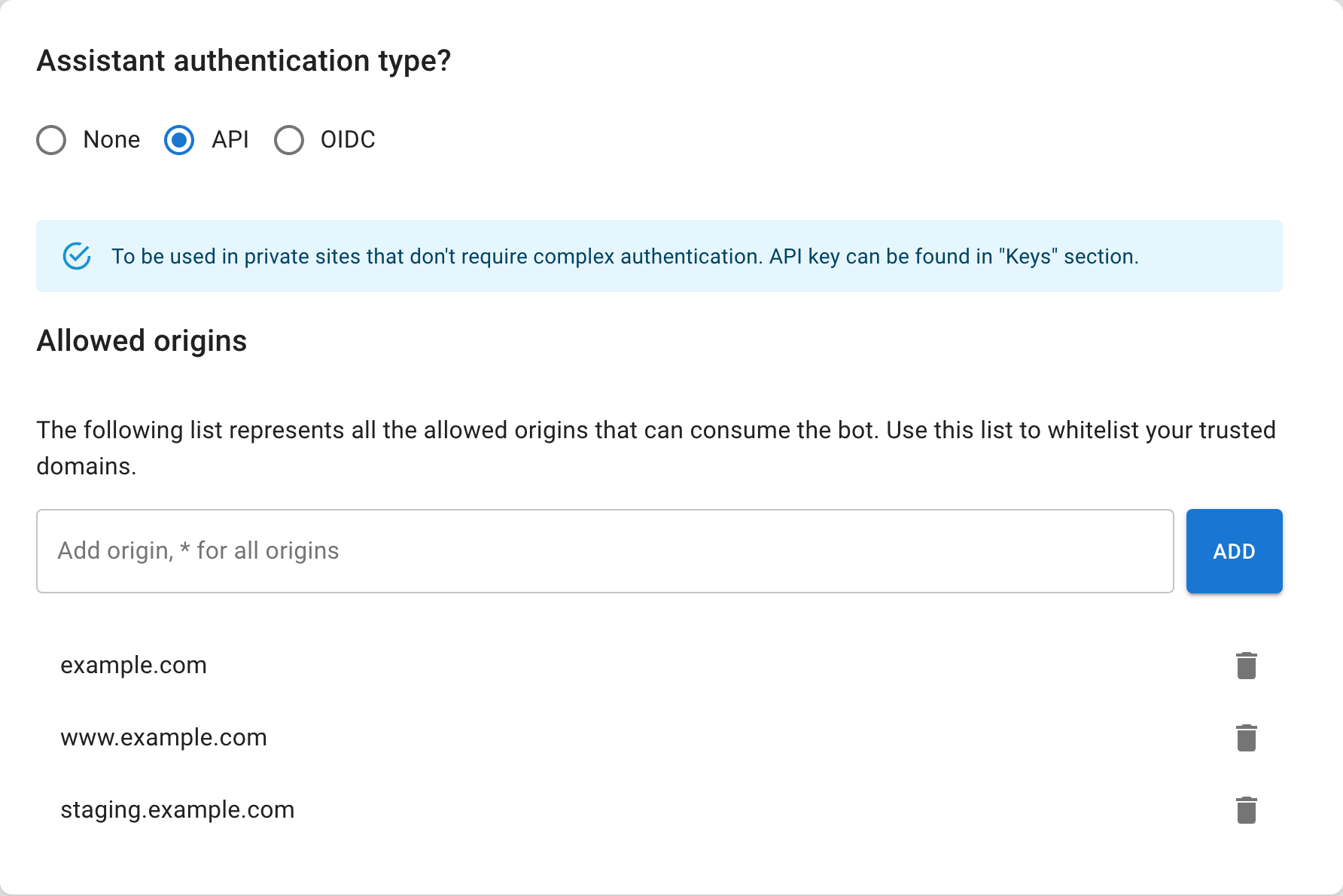
Do not treat an embed API key as a secret user credential. It is visible in website source. Use the authentication design that matches the access requirement.
Understand conversation data
Document which interactions are retained, who may review them, how long they are needed, and how users are informed. Avoid asking visitors for sensitive information in a normal question field.
If the assistant uses forms, collect only fields the team will act on. Route account-specific requests to the appropriate authenticated or human channel.
Run abuse and failure tests
- Ask for private and internal information.
- Ask the assistant to ignore its scope.
- Load it from an unauthorized origin.
- Test missing, invalid, and expired access where applicable.
- Ask an account-specific question in a public session.
- Inspect citations for unexpected URLs or filenames.
- Confirm unsupported questions follow the approved fallback.
Prepare operational responses
Record how to remove an exposed source, rotate or renew a key, update all embeds, change allowed origins, and investigate a conversation.
Do not launch with unresolved data questions
If the team cannot explain why a source is public, who may access the assistant, or how a sensitive question is handled, resolve that boundary before publishing.
Repeat the review after changes to datasets, capture rules, authentication, forms, or deployment domains.