Keep a Search Center private
A Search Center is public by default when authentication is None. To restrict access, switch to API or OIDC, pass a valid token in the embed, and allow only the intended website origins.
Decide what private means
Use API authentication when your implementation can provide the required access token. Use OIDC when access should follow an identity-provider login.
Authentication protects the interface request. Dataset design still matters: keep unrelated private material out of the connected dataset and review captured content before deployment.
Configure the boundary
- Open the Search Center's Security settings.
- Change Search center authentication from None to API or OIDC.
- Configure the selected authentication method.
- Add the exact production site under Allowed origins.
- Copy the generated embed code and provide the valid access token through the documented application flow.
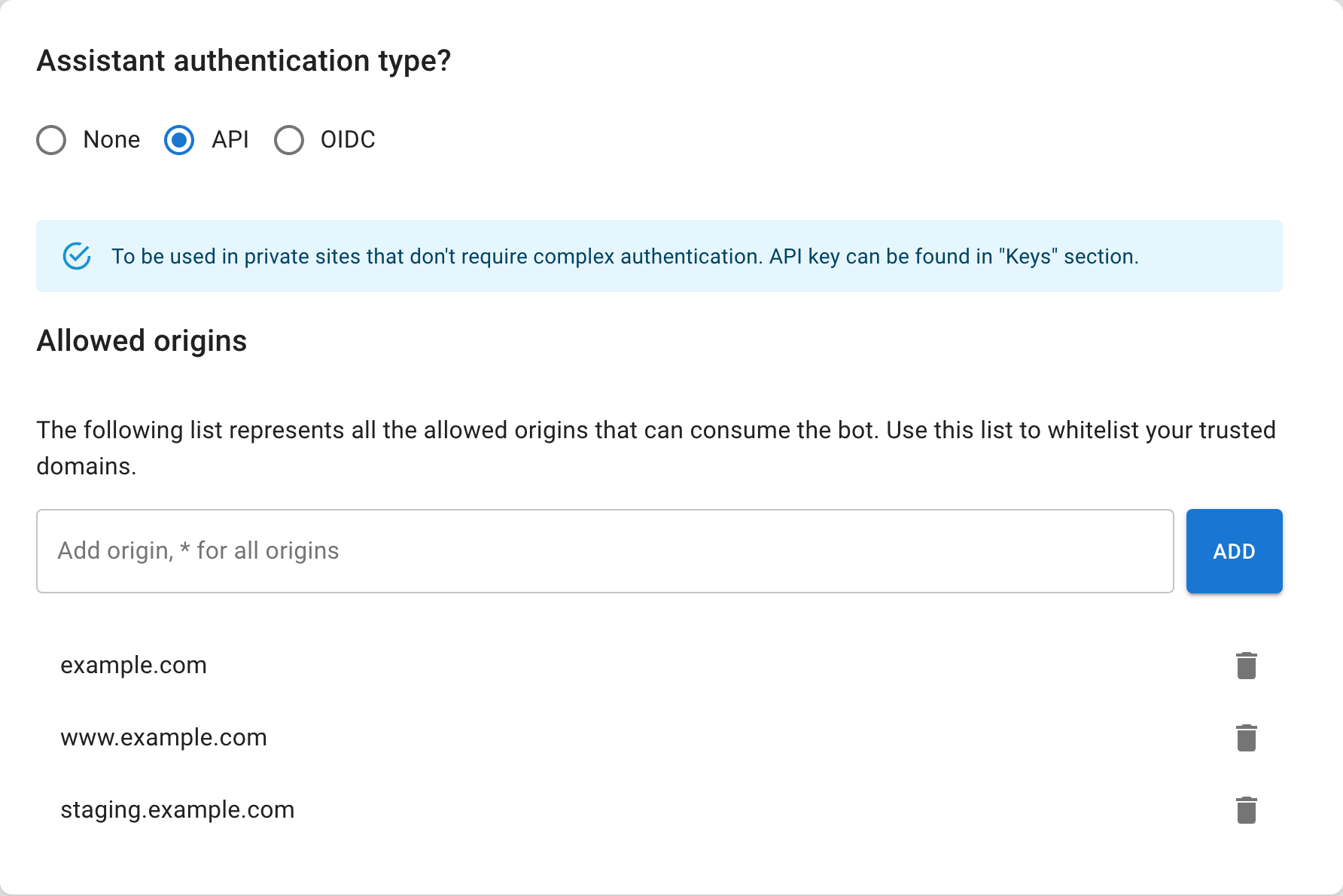
With private authentication enabled, the hosted public page will not open anonymously. The Search Center becomes an authenticated embed on your site.
Do not expose reusable secrets in public source code
Generate and deliver tokens through the documented security flow. Do not paste a privileged key into a public repository or static page.
Test both sides of the rule
| Test | Expected result |
|---|---|
| Approved origin with valid authentication | The Search Center loads and answers |
| Approved origin without valid authentication | Access is rejected |
| Unlisted origin | The embed is blocked |
| Anonymous hosted public URL | The page reports that it is not publicly available |
| Source link | The destination follows its own access rules |
Run these checks in a production-like environment. A dashboard preview does not prove that origins and tokens are correct on the deployed site.
Recover from an access failure
Confirm the authentication mode first, then the token, then the exact origin including scheme and subdomain. Avoid weakening the mode to None merely to make a failing private embed appear.
If the intended audience is anonymous and all sources are public-safe, use a public configuration deliberately. Otherwise keep the authenticated boundary and fix the deployment.